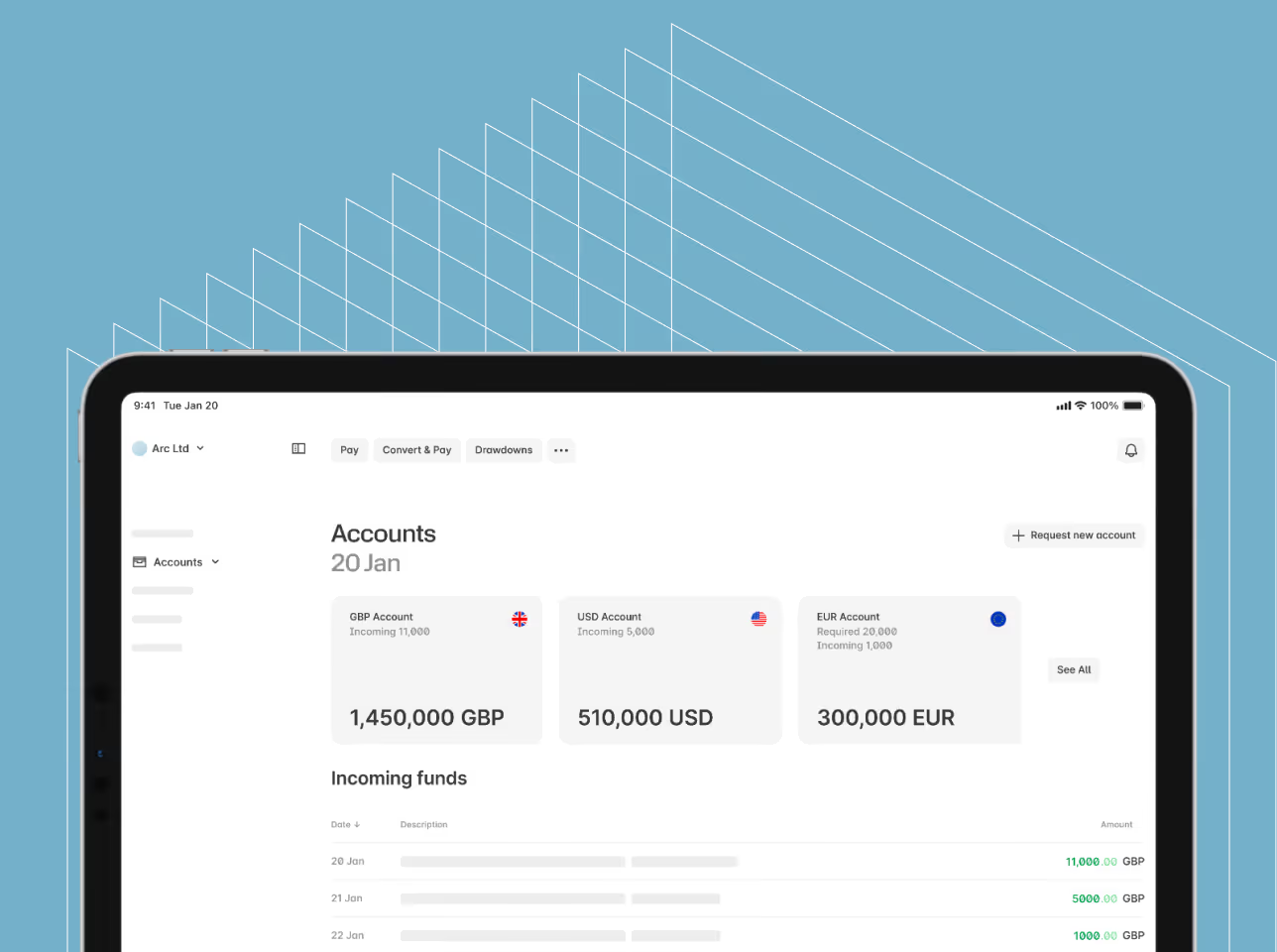
Omdefiner din globale vækst gennem innovation
Et hurtigt overblik over vores seneste platformopdateringer, der er designet til at give dig mere hastighed, klarhed og effektivitet i din arbejdsgang.
Et hurtigt overblik over vores seneste platformopdateringer, der er designet til at give dig mere hastighed, klarhed og effektivitet i din arbejdsgang.
You can now integrate Sage with your Ebury multi-currency accounts

Improved and more intuitive Financing dashboard
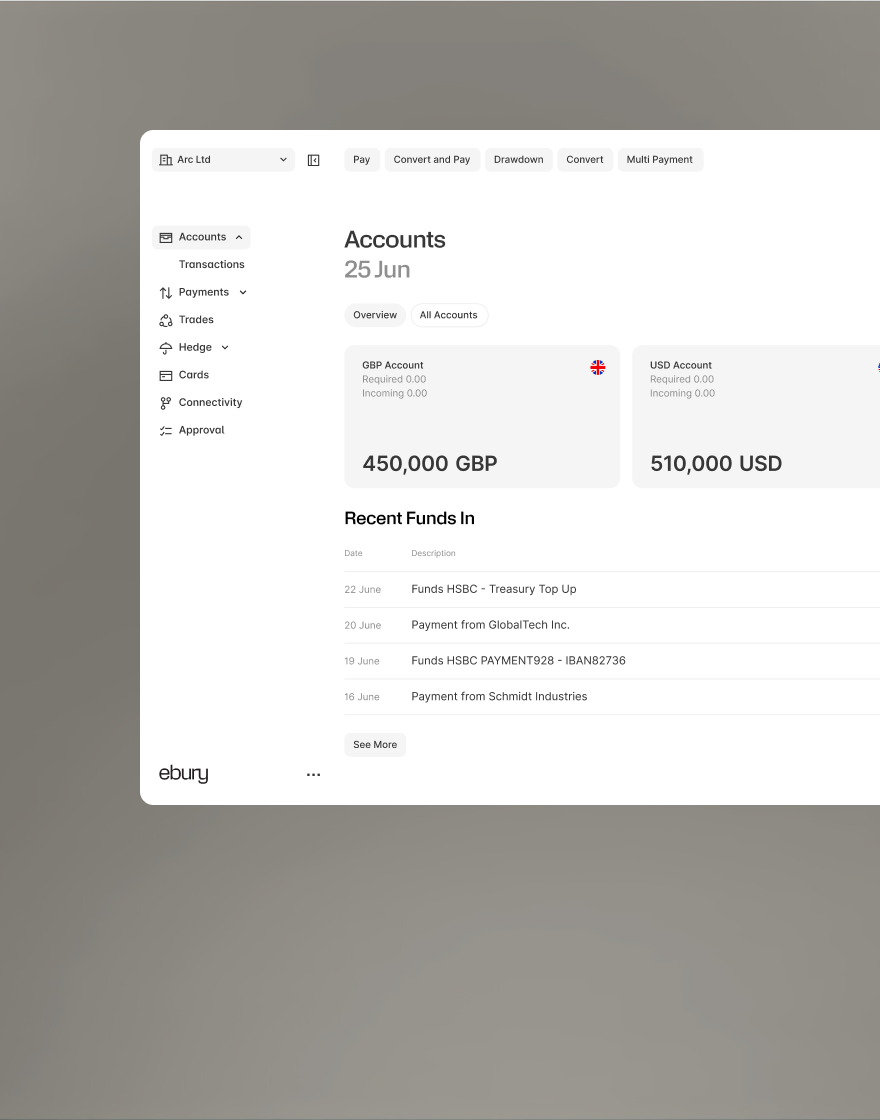
We’ve introduced favourite currencies, giving you more control over how your Accounts dashboard is organised.

Track your Credit Condition notional amounts in real time.
What’s new: July 2026
Highlights from this month:
- Financing: Improved and more intuitive client experience
- Hedge: Real-time FX credit condition tracking
Streamlining cash flow management: Our latest updates to Financing and Hedge
Effective cash flow management is central to your business success. To help you manage your facilities with greater confidence and efficiency, we’ve introduced several key updates to our Financing and Hedge platforms.
Enhanced Financing platform experience
We have redesigned our Financing pages to offer a cleaner, more intuitive interface.
- Streamlined navigation: Access the information you need quickly and logically, reducing time spent searching for data.
- Simplified credit management: Draw down on and manage your credit line with fewer steps.
- Immediate access to data: View your critical financial metrics at a glance to make faster operational decisions.
Real-time credit and margin tracking
Our new tracking feature on Ebury Web/Hedge provides complete visibility into your credit and margin requirements, removing the need to wait for manual notifications or market updates.
- Live facility utilisation: Monitor precisely how your facility is being utilised in real time as the market moves.
- Proactive risk management: View your positions instantly, giving you the clarity needed to make well-timed financial decisions.
These updates are now live. Log into your Ebury account today to explore the new features, or contact your relationship manager if you would like a brief walkthrough.
Introducing our redesigned Financing experience
What’s new:
- Improved and more intuitive Financing dashboard
- Streamlined credit line workflow and tracking
A simpler, more intuitive way to manage your Supplier Payment Finance line
Managing cash flow is essential for every business. That's why we've redesigned our Financing pages to deliver a more intuitive experience. With improved navigation and a cleaner interface, you can manage your credit line more easily and quickly access the information that matters most.

We’ve upgraded your dashboard to make managing your finance line smoother and more intuitive than ever. You can now track your available credit line with a clear view of pending trades, instantly locate newly submitted requests, and monitor repayment statuses directly from your main screen. To keep your workflow moving quickly, we’ve also introduced bolder, easy-to-scan status indicators and clear prompts that let you know exactly when management accounts are due for your line renewal.
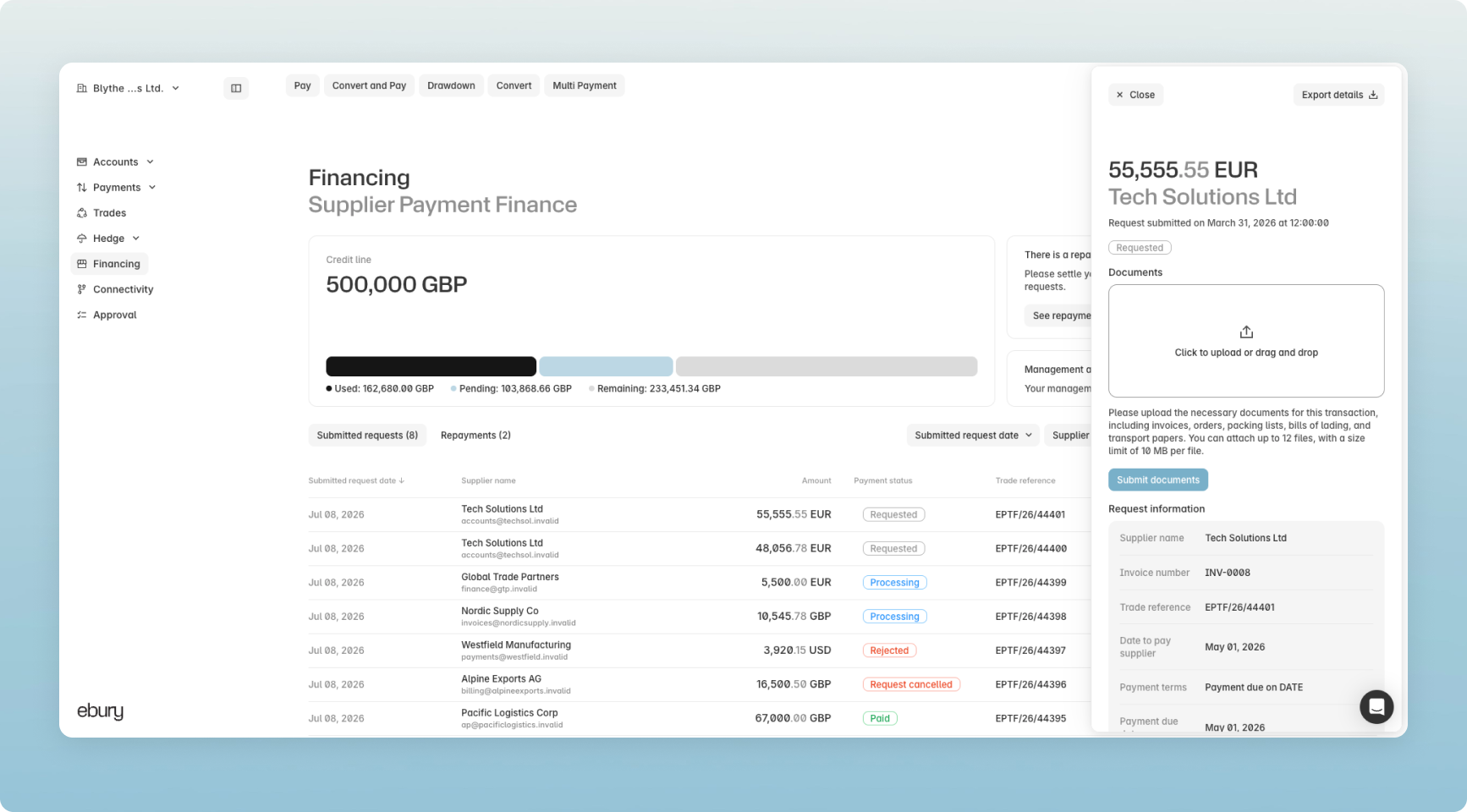
To learn more about Supplier Payment Finance solutions visit Ebury Supplier Payment Finance | Scale Faster
Nye funktioner
- Repayment workflow: Enabling users to easily check repayment statuses directly from the dashboard with quick navigation links to the main repayment table.
- Management Accounts status: Enabling users to quickly identify when management accounts need providing for line renewal.
- Request tracking: Ensures newly submitted requests are instantly discoverable within the main table.
Forbedringer
- Credit line visibility: Improving the design and adding a new feature to show pending trades making tracking the available credit line more intuitive.
- Status design: Improving the design with improved status indicators to make them more visually prominent and easy to scan.
Real-time FX Credit Condition Tracking
What’s new:
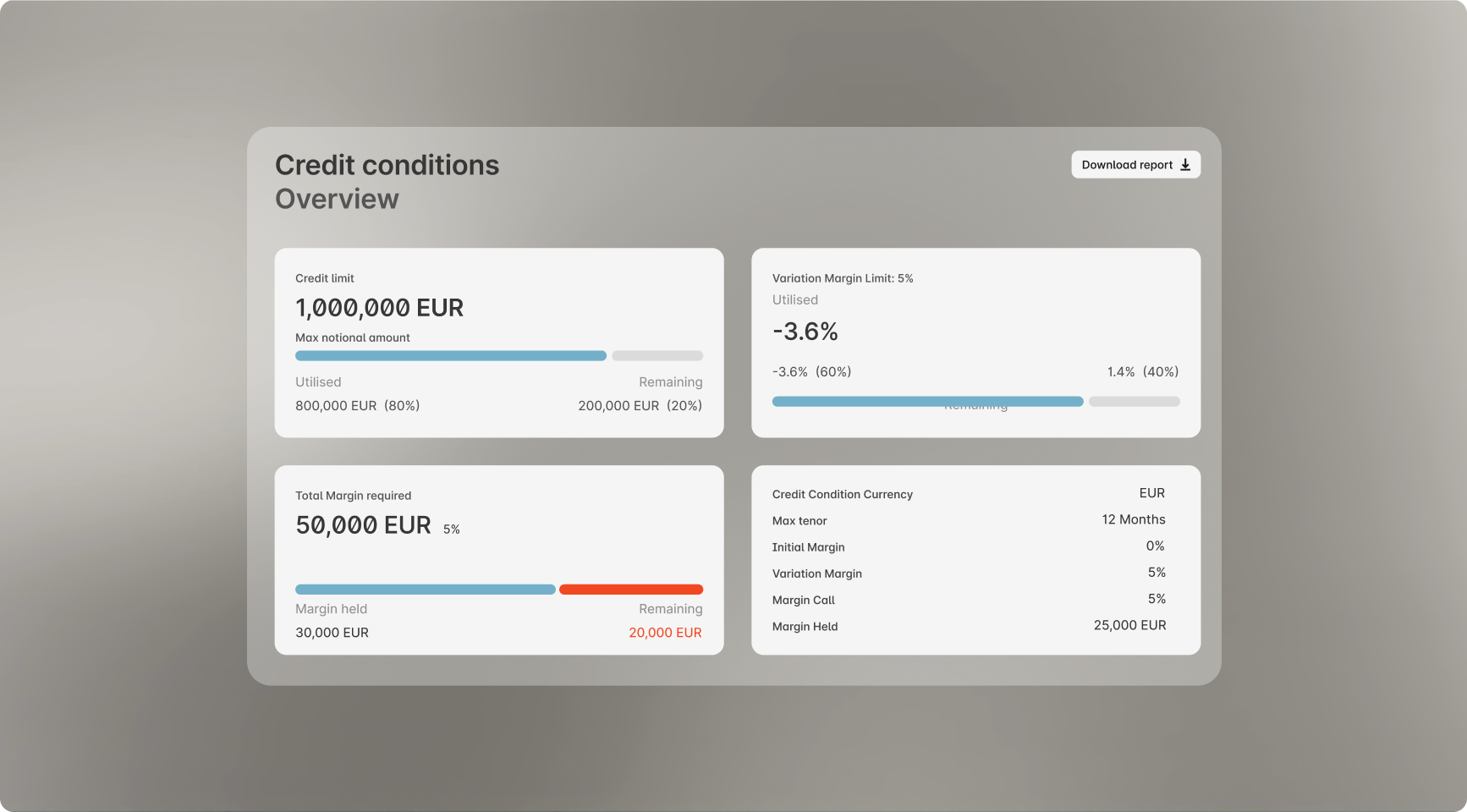
- Track your Credit Condition notional amounts in real time.
- Monitor Variation Margin utilisation to see exactly how far away you are from a margin call.
- View any margin required to pay alongside the total margin currently held by Ebury.
Gain full transparency over your credit health in a single view
We’re introducing a real-time tracking feature on Ebury Web/Hedge that provides complete visibility into your credit and margin requirements. Instead of navigating blind or waiting for notifications, you can now see exactly how you are utilising your facility as the market moves.
Complete visibility for smarter capital management
Our upgraded tracking tools bring total transparency to your liquidity planning by instantly breaking down the margin required versus the funds currently held by Ebury. With a clear, visual view of your Variation Margin utilization and total credit positions, your finance team can easily anticipate potential margin calls and make timely treasury decisions. This unified dashboard eliminates the guesswork, giving you the real-time insights needed to manage your positions proactively and with absolute confidence.
Contact your dedicated relationship manager, or Speak to an Expert for more information.
What’s new: June 2026
Highlights from this month:
- Connect: Ebury/Sage integration
- Business Accounts: Personalise Accounts view
- Business Accounts, Mobile: Get statements in the app

Our commitment to innovating and improving day-to-day workflows continues, focusing on meeting our clients where they are through connection, personalisation and information on the go.
This month’s key product releases include:
- Introducing an integration with the popular accounting software, Sage, allowing you to create a seamless flow between your ledger and your Ebury multi-currency accounts.
- Personalising your Accounts dashboard to put the currencies and accounts you use most often at your fingertips.
- Bringing account statements into the mobile app, so you can view and review your accounts and balances from anywhere.
Get in touch if you have any questions, or would like more information on opening an Ebury account.
New Ebury / Sage integration
What’s new:
- You can now integrate Sage with your Ebury multi-currency accounts
- Automate your data flow to get up-to-the-minute information and reduce errors and backlogs and automated reconciliation of transactions
- Set up the integration through Ebury Web to get started
Automatically sync your Sage data with Ebury
Connecting Ebury to the software you use every day is one of the most important ways we help free up your team, save time and reduce costs. Our clients are already able to integrate with Sage 50, Sage100 online, and Sage XRT, and we’ve now added Sage to the lineup.
What is it?
A secure, real-time integration that automatically syncs your Ebury multi-currency transactions and balances directly into your Sage ledger, completely eliminating manual data entry and making reconciliation seamless.
Key Benefits
- No more manual uploads: Eliminates the need to download and upload CSV or MT940 files.
- Fewer errors & backlogs: Automated data flows minimize human entry mistakes and speed up month-end reconciliation.
- Real-time visibility: Gives your finance team an instant, accurate view of your global cash flow and FX adjustments directly inside Sage.
Setting it up
- Generate your codes: On Ebury Web, go to the Connectivity tab, select Sage, and copy your unique connection ID and invite code.
- Find Ebury in Sage: Open Sage, initiate a new bank feed setup, and select "Ebury (powered by Codat)".
- Link and sync: Enter your Ebury codes, select the account you want to connect, and complete the setup. Your data will now flow automatically.
Step-by-step instructions:
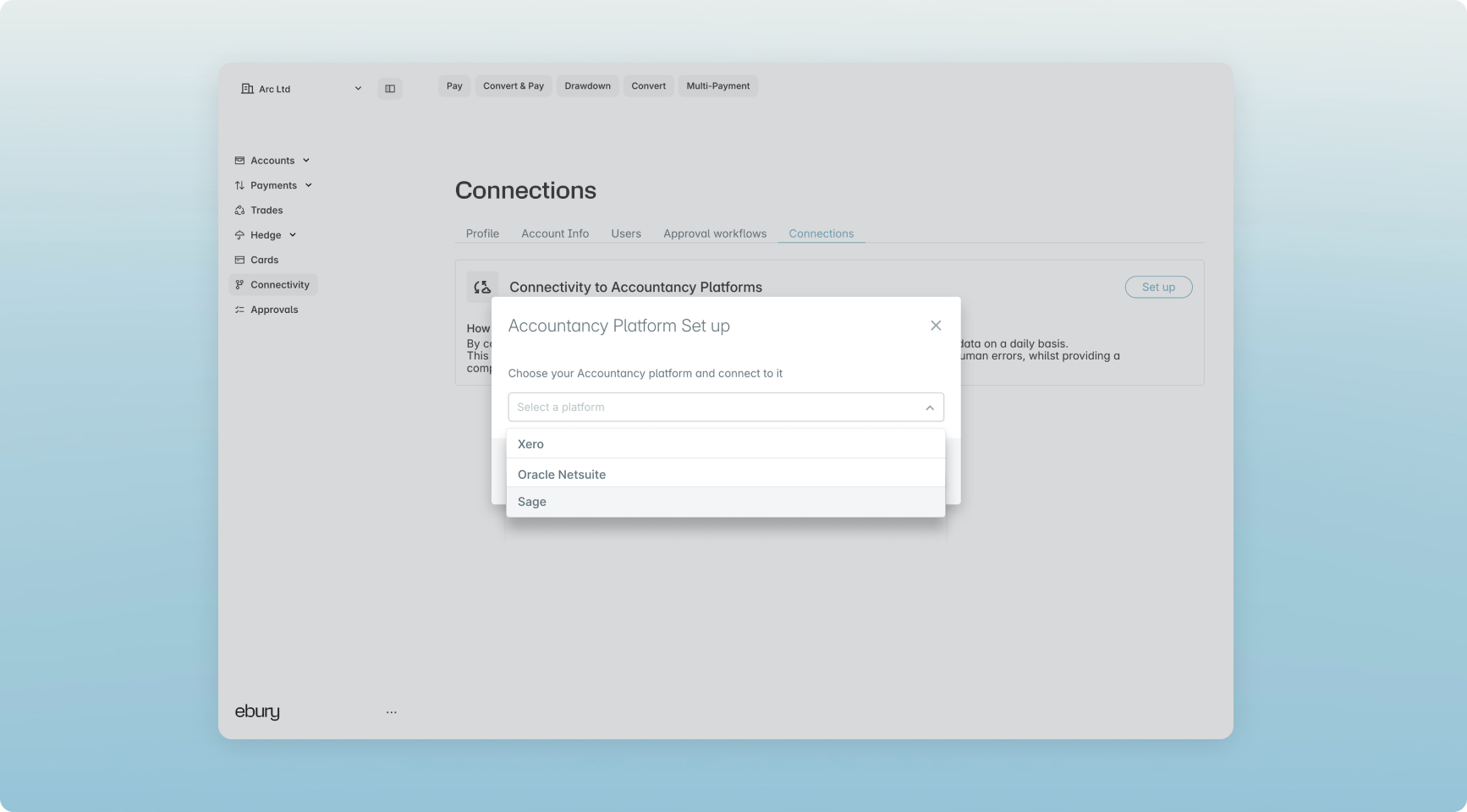
- Select the Connectivity tab in Ebury Web

- Select Sage from the drop-down list
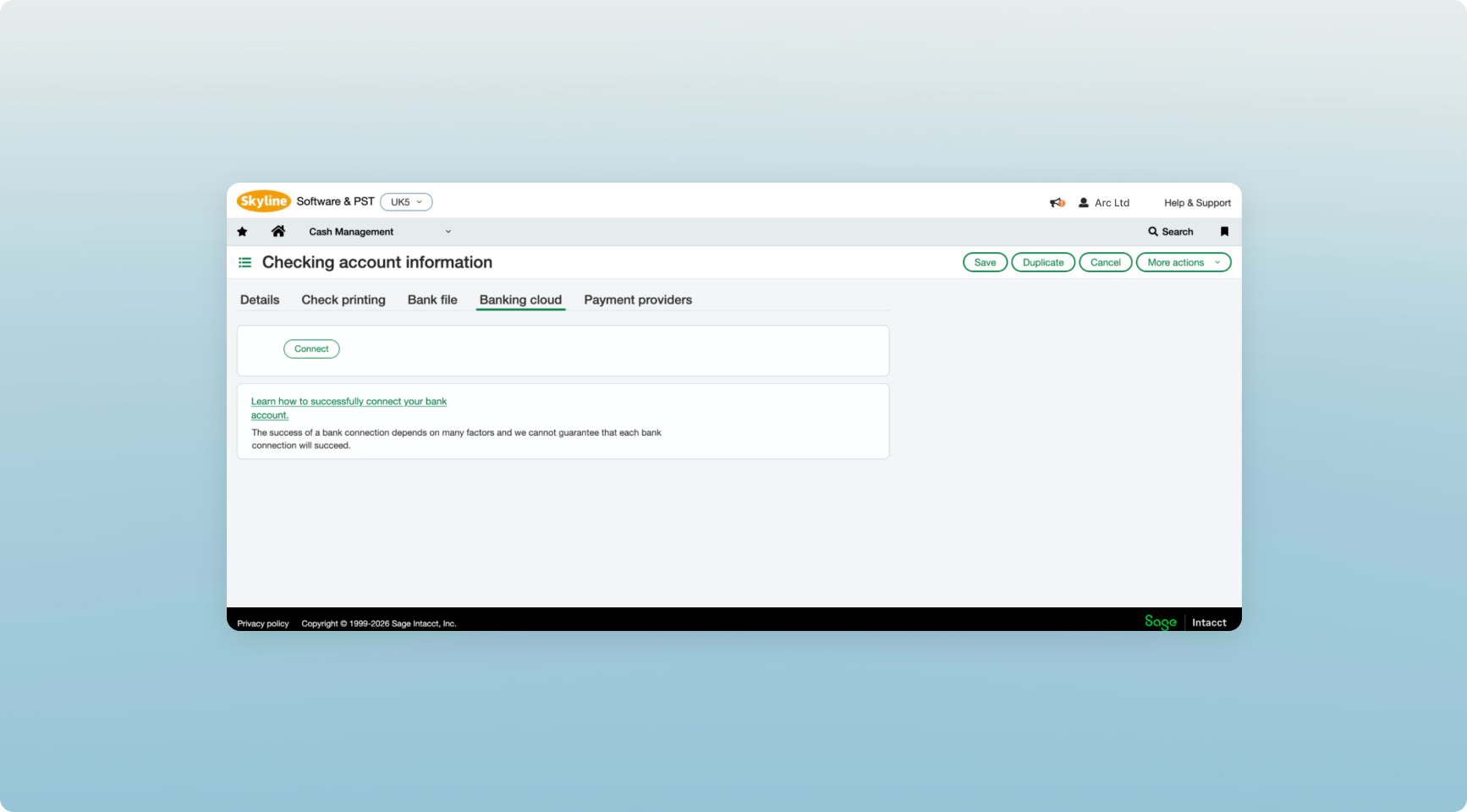
3. Open Sage and select Connect
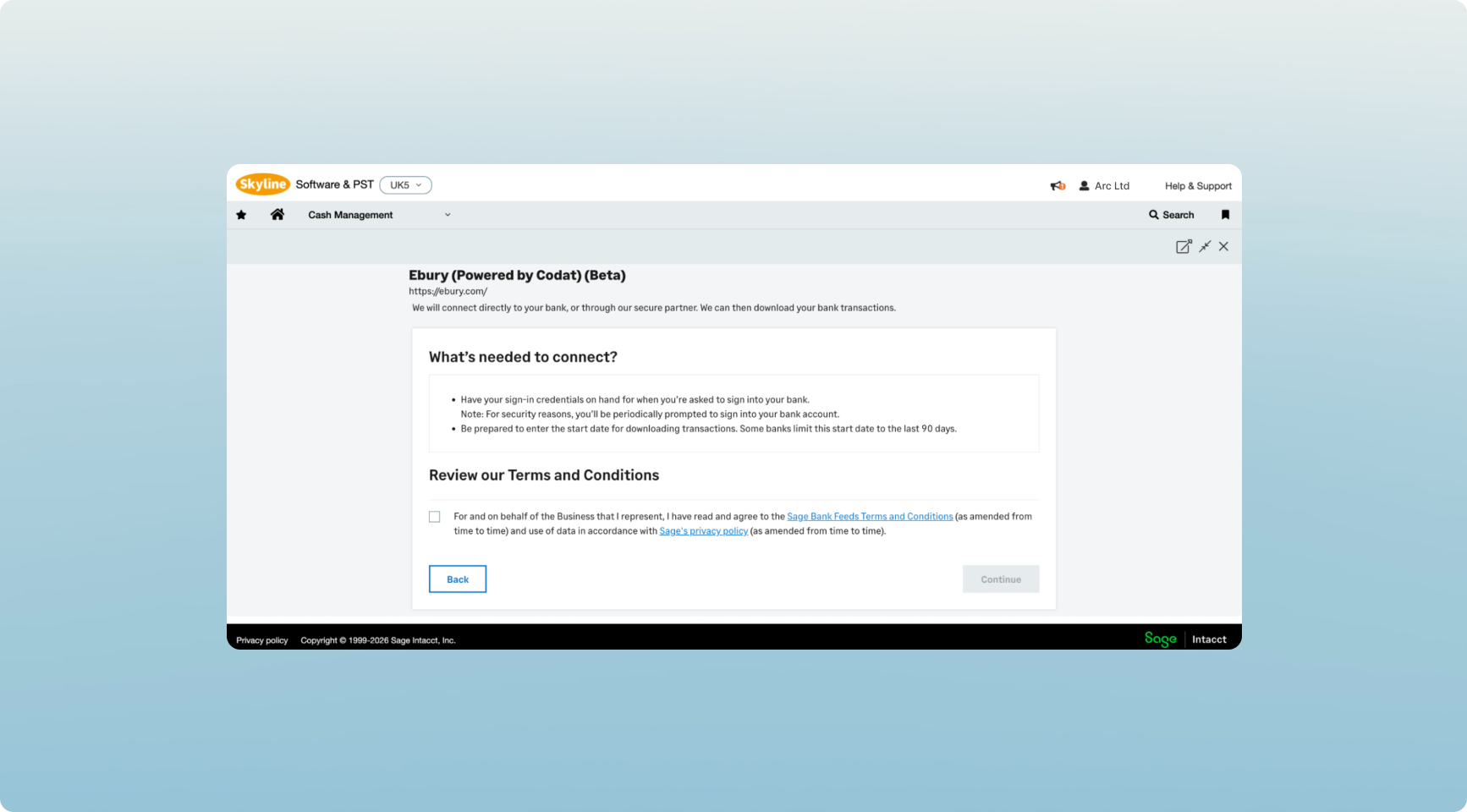
- Select Ebury (Powered by Codat)
.png)
- Accept the Terms and Conditions
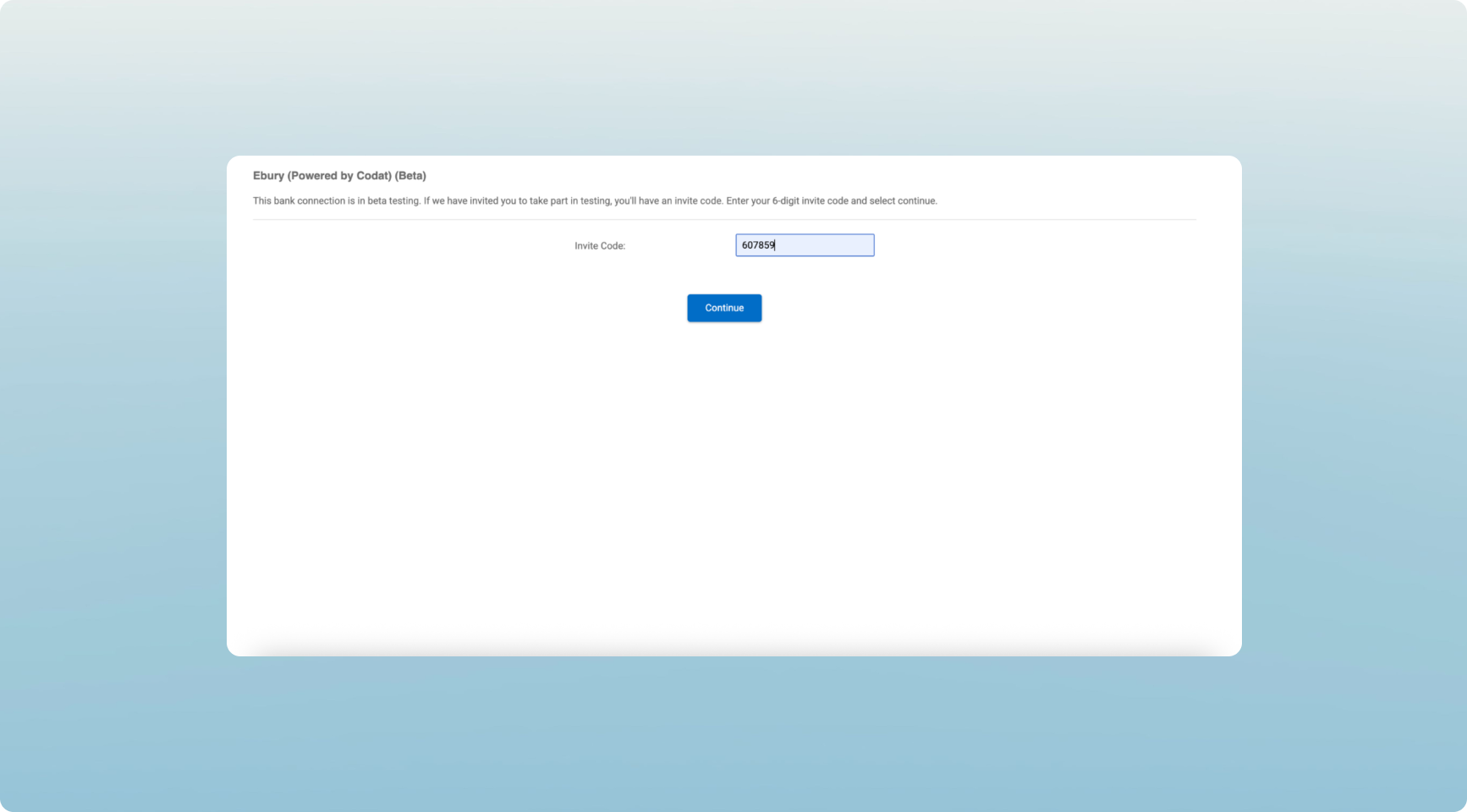
- Enter or paste in your Invite Code
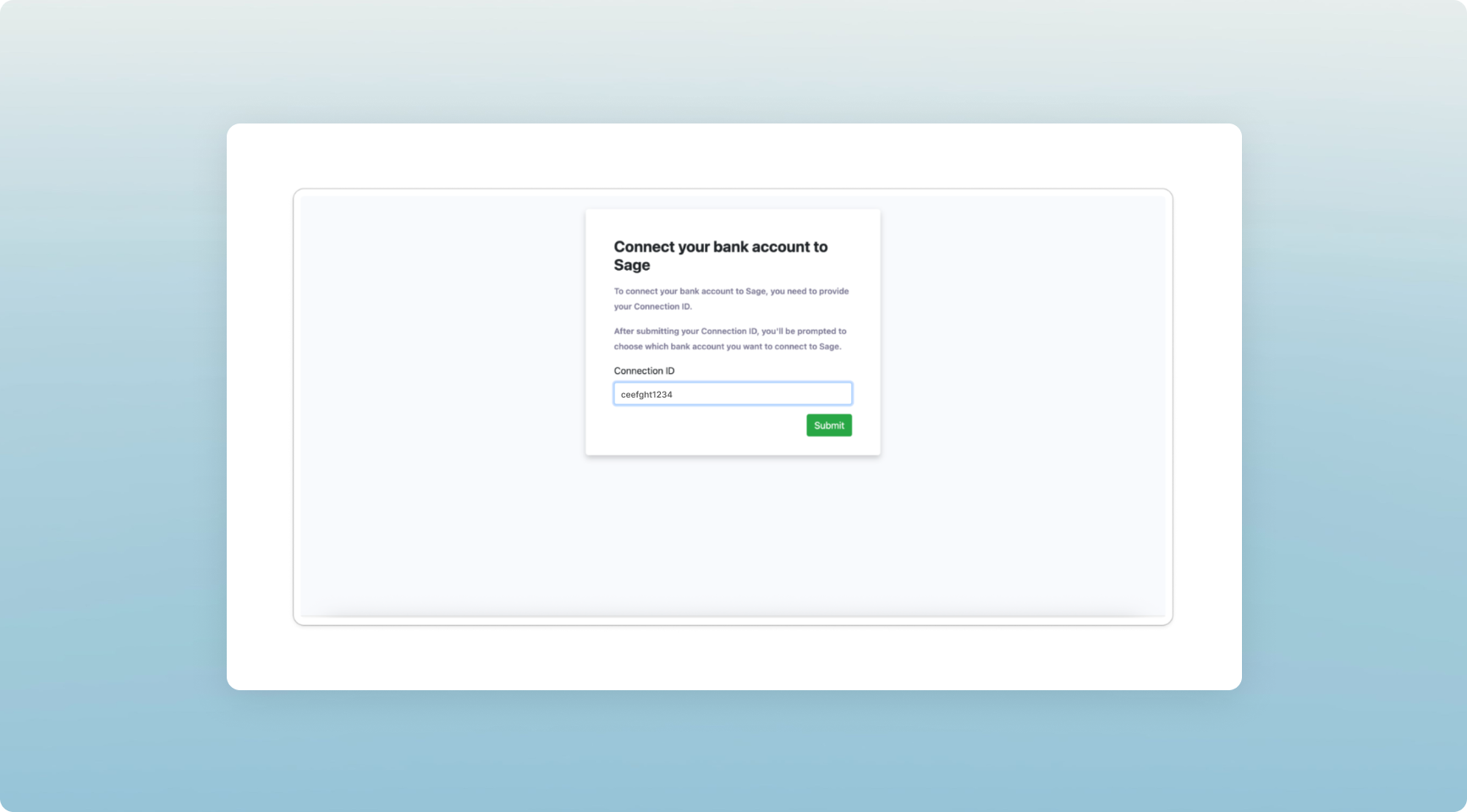
- Enter or paste in your Connection ID
- Select your Ebury account to connect

- Confirm the connection
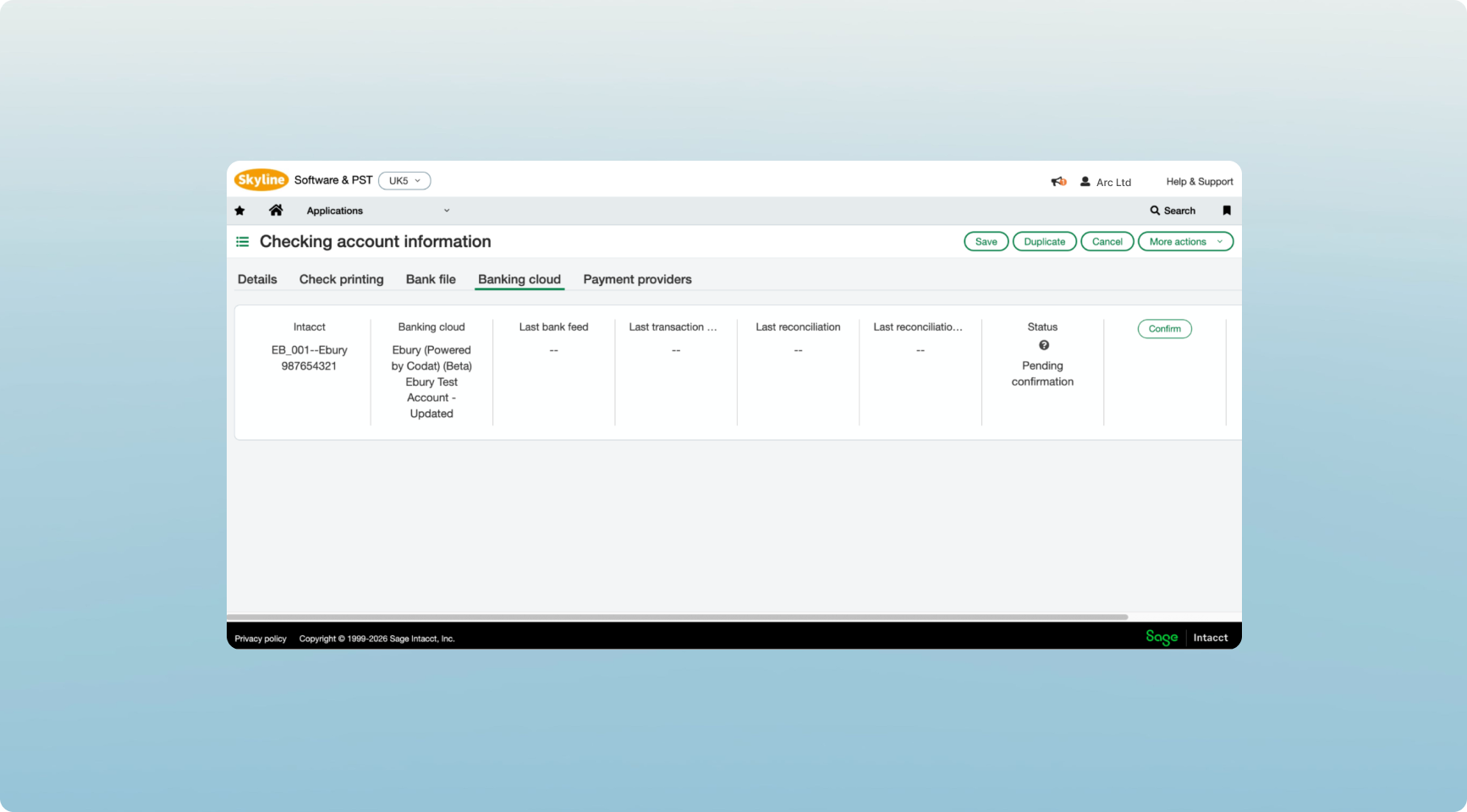
Your Ebury account and Sage are now connected and ready to sync.
Ebury Web personalisation
Personalise your Accounts view
We’ve introduced favourite currencies, giving you more control over how your Accounts dashboard is organised.
You can now select the currencies that matter most to your business directly from the All Accounts view. Your favourites will automatically appear at the top of your Accounts dashboard, making it faster to access the balances and activity you use most often.
Built around the way you work
Many of our clients operate across multiple currencies, but only a handful are used every day. This enhancement helps tailor the platform to your business, making key information easier to find and reducing the time spent navigating between accounts.
Just pick which currencies you’d like to favourite:
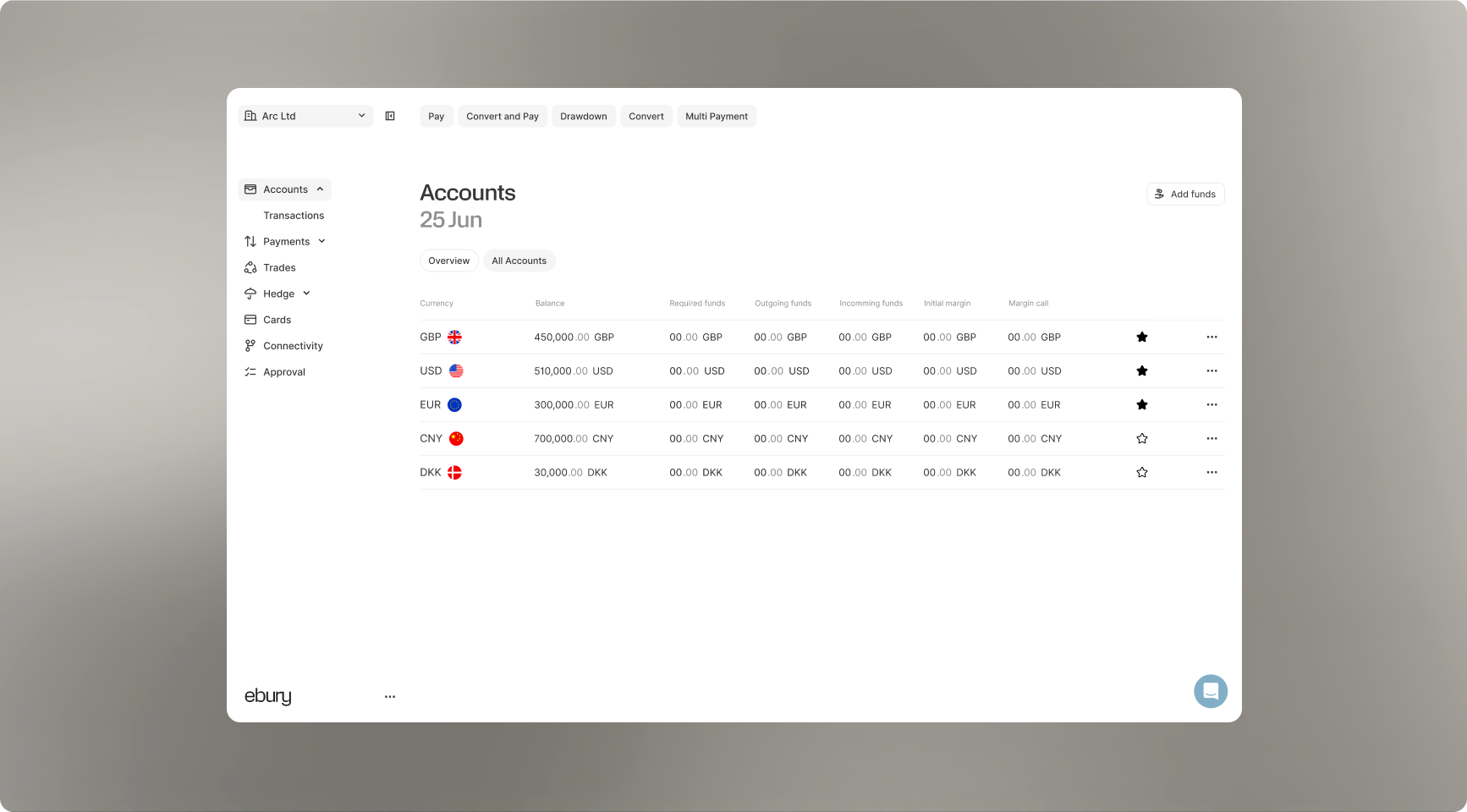
They will then be pinned to your account dashboard where you can access them easily.
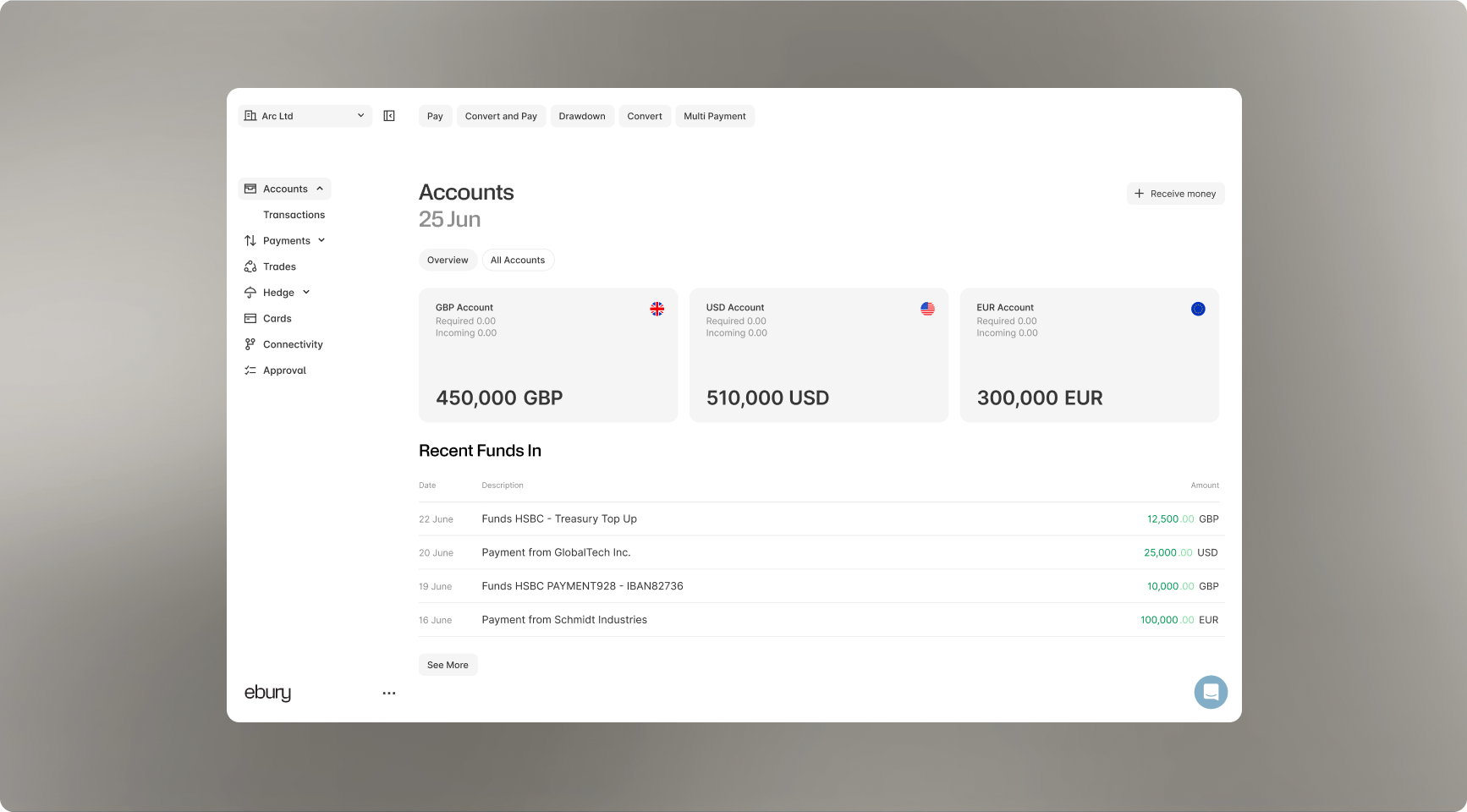
It’s a small change that makes managing global finances quicker, simpler and tailored to the way you work.
Nye funktioner
- Mark your most-used currencies as favourites
- Manage favourites directly from the All Accounts screen
- Automatically surface favourite accounts across your Accounts views
- Reduce clutter and focus on the currencies most relevant to your business
Statements on the go
What’s new
View and download your Ebury account statements on mobile
Pull up your statements from anywhere
You’re now able to view and download statements for all of your Ebury accounts in a few taps.
- Every account, in one place: See balances and transactions for all your Ebury accounts, side by side.
- Statements when you need them: Select a date range and open the statement straight from your phone.
- Download a PDF on the spot: Save it, send it to your accountant, attach it to an expense - no laptop required.
- Built into the app you’re already using: Same login, same security, same accounts, complete transaction history.
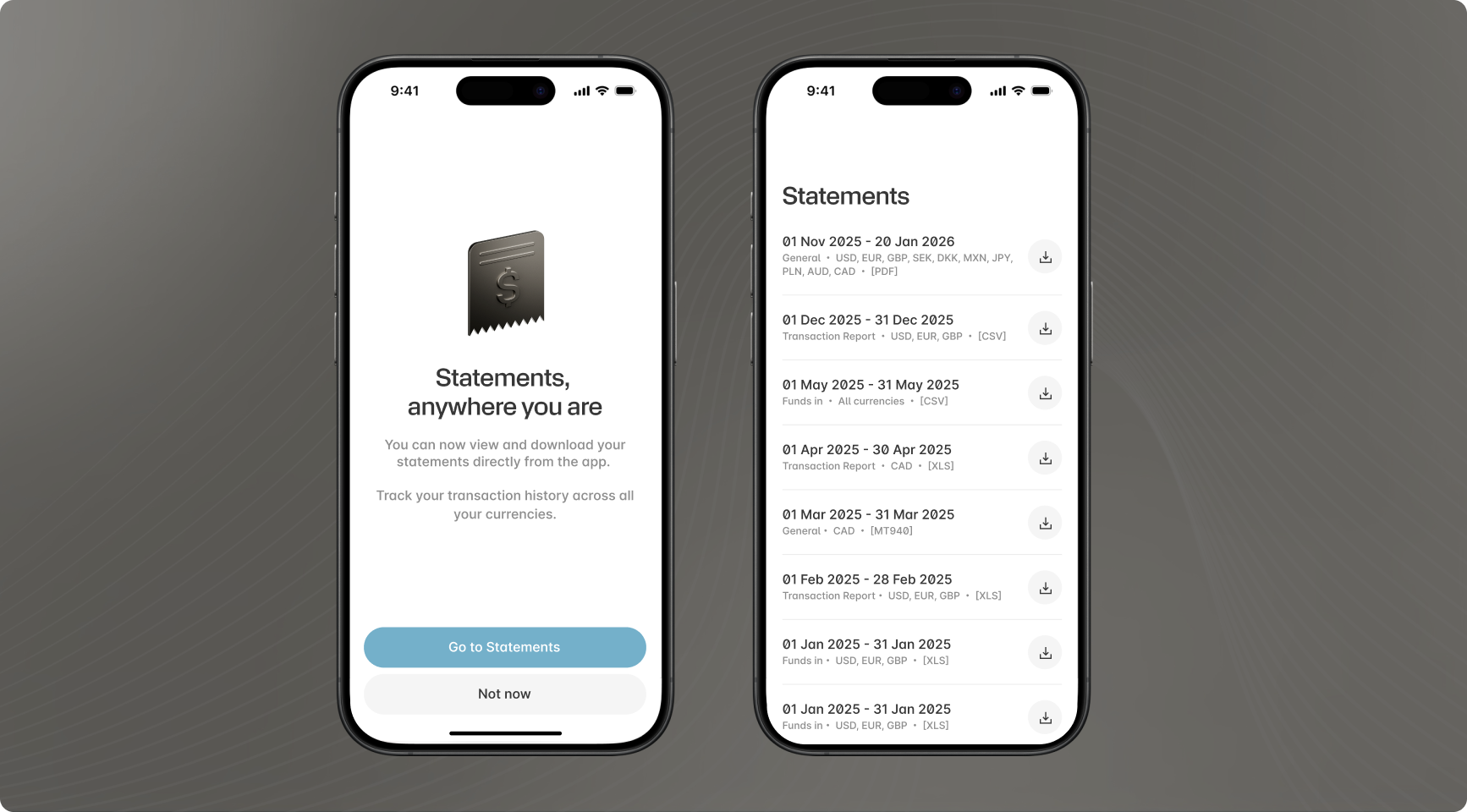
Download the App
Nyheder maj 2026 : Velkommen til Eburys produktopdateringer
Velkommen til vores første Ebury-produktopdatering!
Cirka hver måned fremhæver vi de nyeste værktøjer, der er designet til at give dig mere hastighed, kontrol og overblik over dine internationale finanser.
Vi starter med vores hidtil største milepæl: den helt nye Ebury-platform.
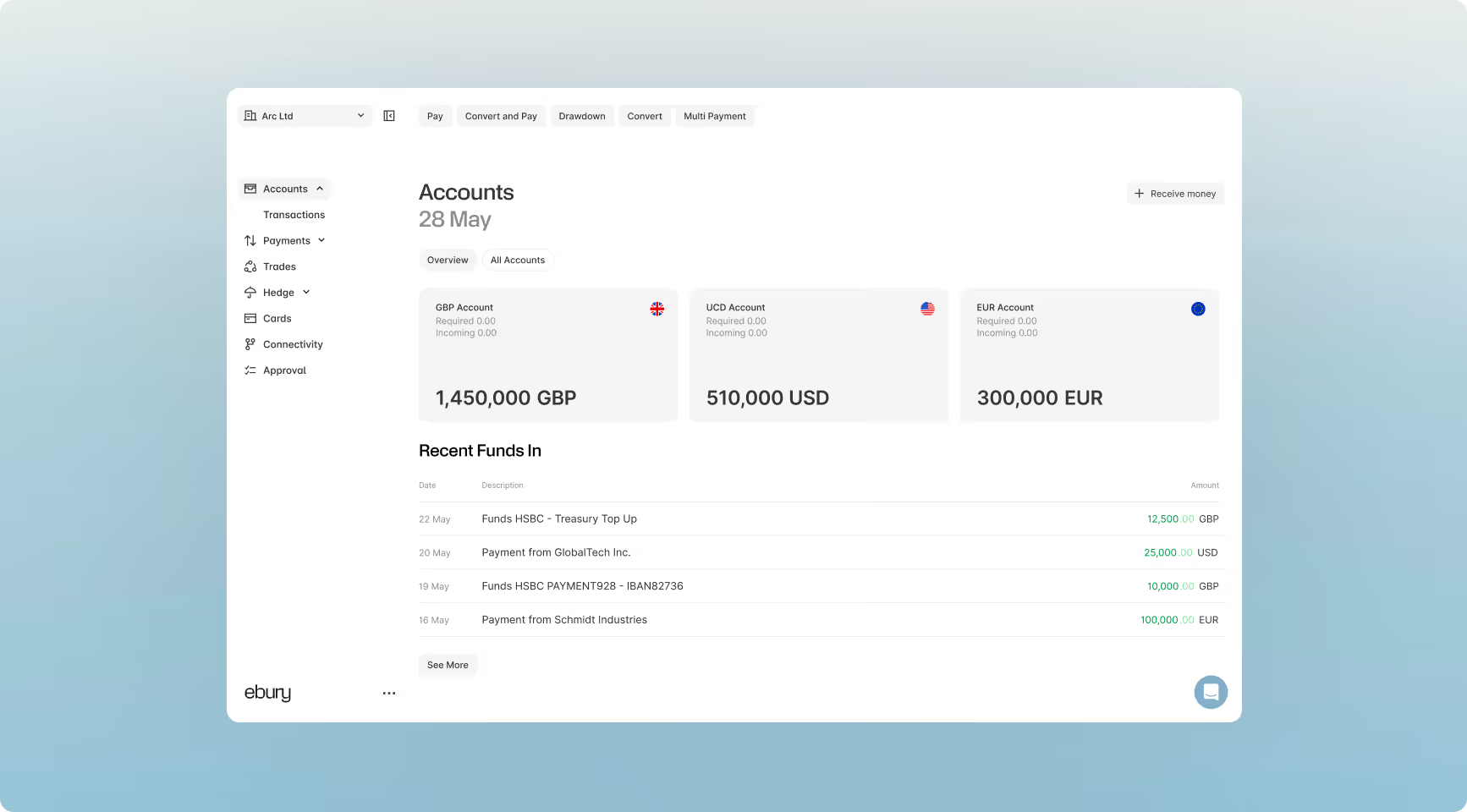
Vigtigste højdepunkter denne måned:
Den nye platform
En fuldt redesignet oplevelse med forbedret navigation, mere gnidningsfri kontoadministration og tydeligere rapportering.
Betalingstracker
Live statusopdateringer fra start til slut for at få fuldt overblik over dine udgående internationale betalinger.
Hedge
En 360° visning af din valutaeksponering, handler og politikplaner, kombineret med forbedrede analyseværktøjer.
Hedge: En 360° visning af din valutaeksponering, handler og politikplaner, kombineret med forbedrede analyseværktøjer.
Vi har ombygget Ebury-platformen til at være hurtigere, mere intuitiv og skræddersyet til, hvordan moderne virksomheder håndterer international finansiering.
Centraliseret kontostyring
Få et klart billede af din globale likviditetsposition i realtid. Den opgraderede kontoside giver dig mulighed for at se saldi og spore aktivitet på tværs af alle dine valutaer på ét sted.
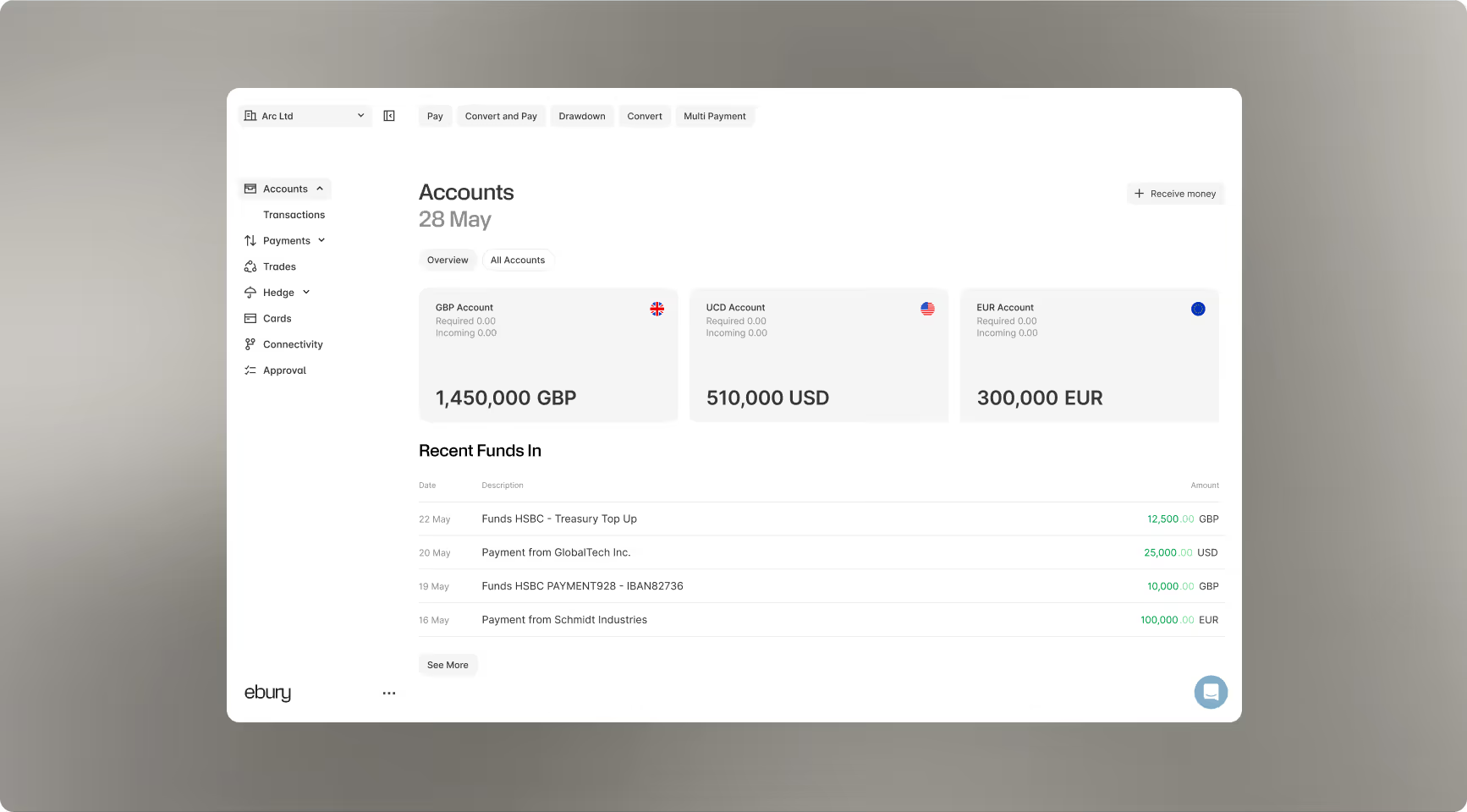
Nu kan du nemt:
- Åbn nye konti: Anmod om nye valutakonti med det samme.
- Tilføj penge: Tilføj hurtigt penge til dine eksisterende saldi.
- Tilpas din visning: Tilpas dit dashboard for at fremhæve de valutaer, der er vigtigst for din virksomhed.
- Gennemgå historik: Spor seneste aktivitet og transaktionsdata med et par klik.
Hurtige, fleksible opgørelser og rapportering
Vi har gennemgået vores rapporteringsværktøjer for at hjælpe dit økonomiteam med at spare tid og eliminere manuelle processer.
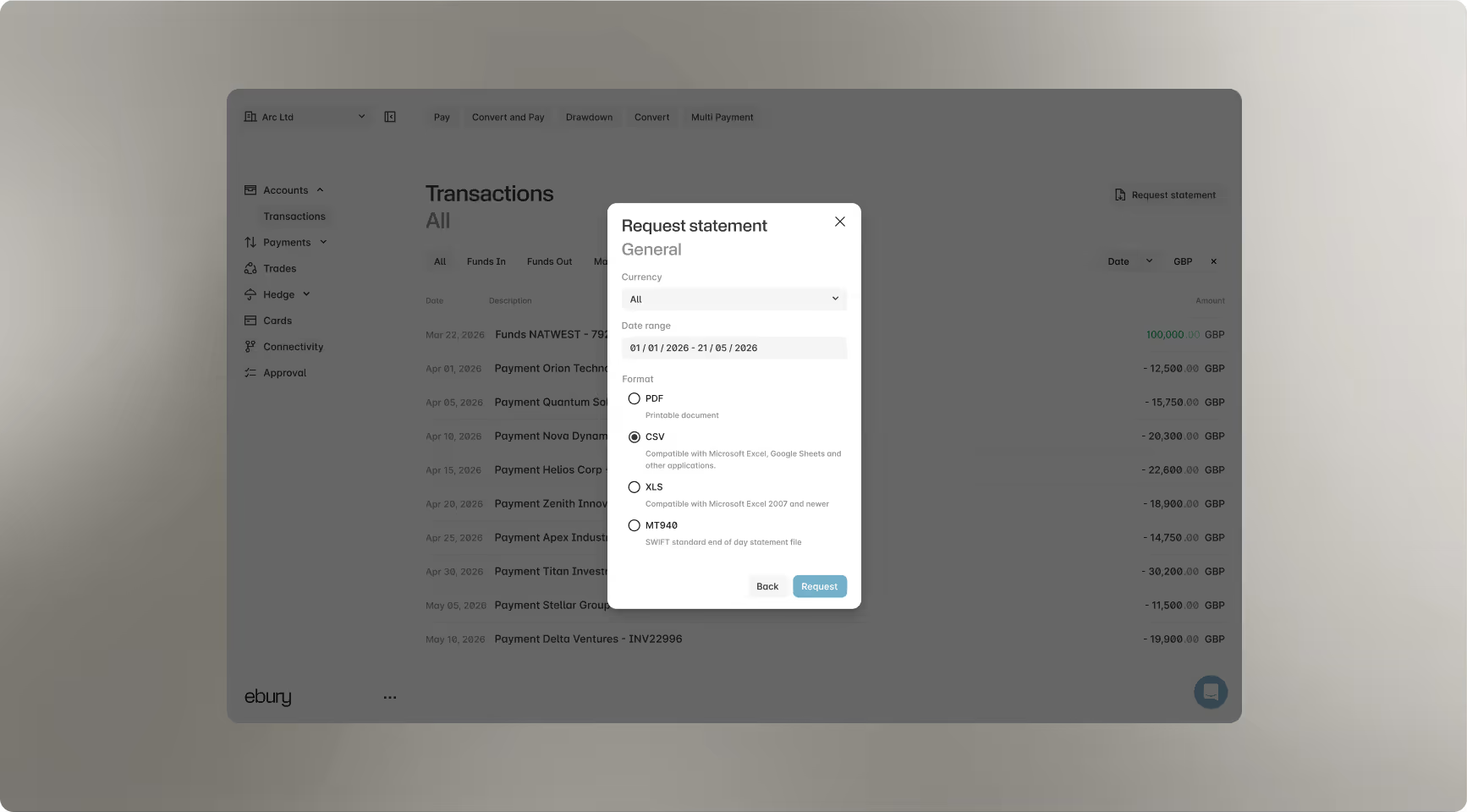
Vigtige opgraderinger inkluderer:
- Tilpasset eksport: Filtrer rapporter efter specifikke eller flere valutaer og fleksible datointervaller.
- Problemfri afstemning: Download kontoudtog med det samme i PDF-, CSV-, XLS- eller MT940-formater for at synkronisere direkte med din ERP- eller regnskabssoftware.
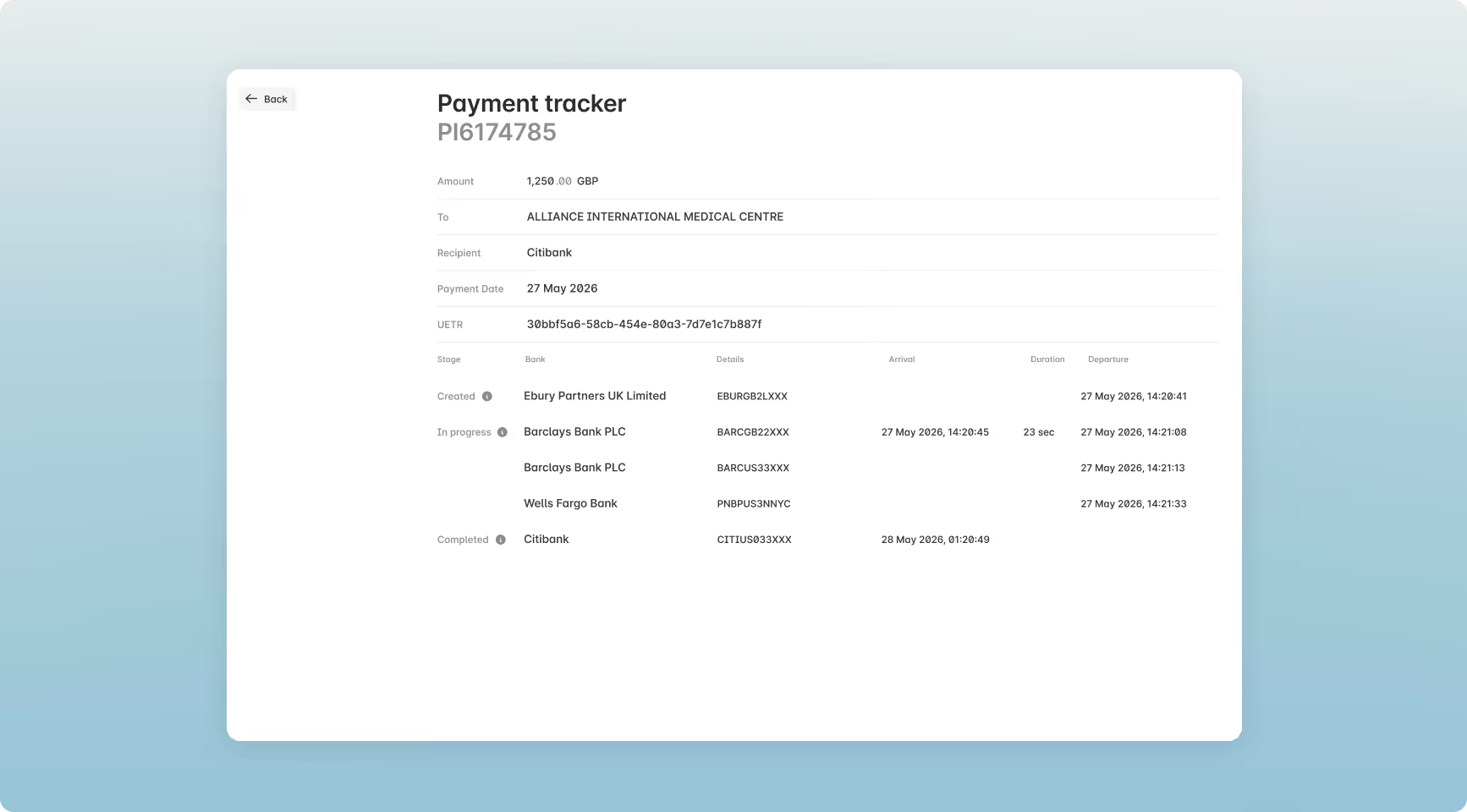
Mød Ebury Payment Tracker
Internationale betalinger går ofte gennem flere formidlende banker, hvilket tidligere gjorde dem vanskelige at spore, når de først havde forladt vores platform. For at eliminere denne usikkerhed har vi skabt Betalingssporeren.
Dette værktøj, der er drevet af SWIFT GPI-data, viser live milepælsbegivenheder direkte i dit dashboard, så du kan følge dine midler hvert skridt på vejen.
Vigtigste fordele
- Gennemsigtighed fra start til slut: Spor dine udgående betalinger fra det øjeblik, de forlader Ebury, indtil de sikkert når modtageren.
- Opdateringer i realtid: Få adgang til live tracking-hændelser direkte på platformen.
- Ikke mere gætteri: Vid præcis, hvor dine penge er på et givet tidspunkt.
Sådan fungerer dette
1. Åbn fanen Betalinger. Du kan filtrere efter Udførte betalinger for at gøre det nemmere at finde transaktioner.
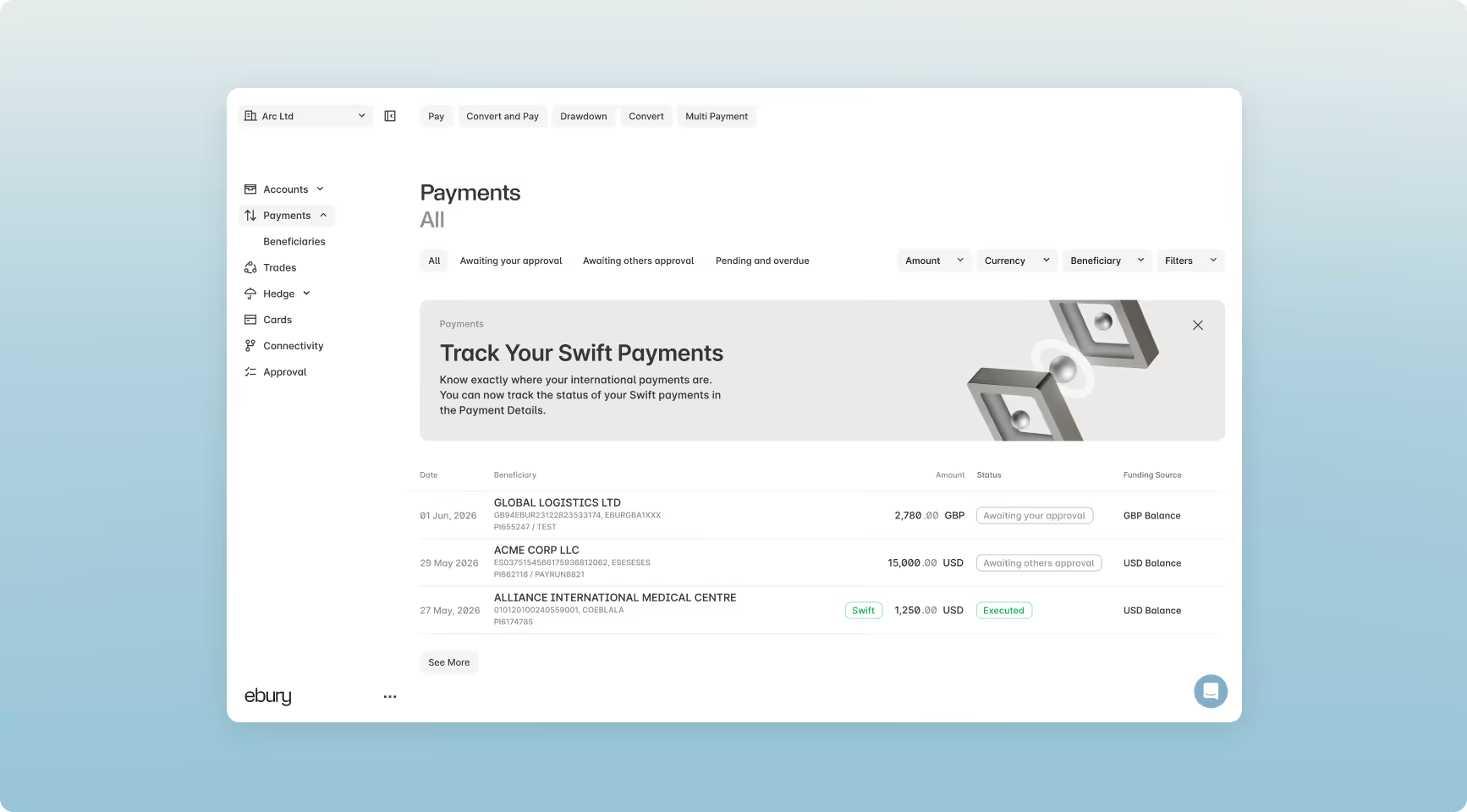
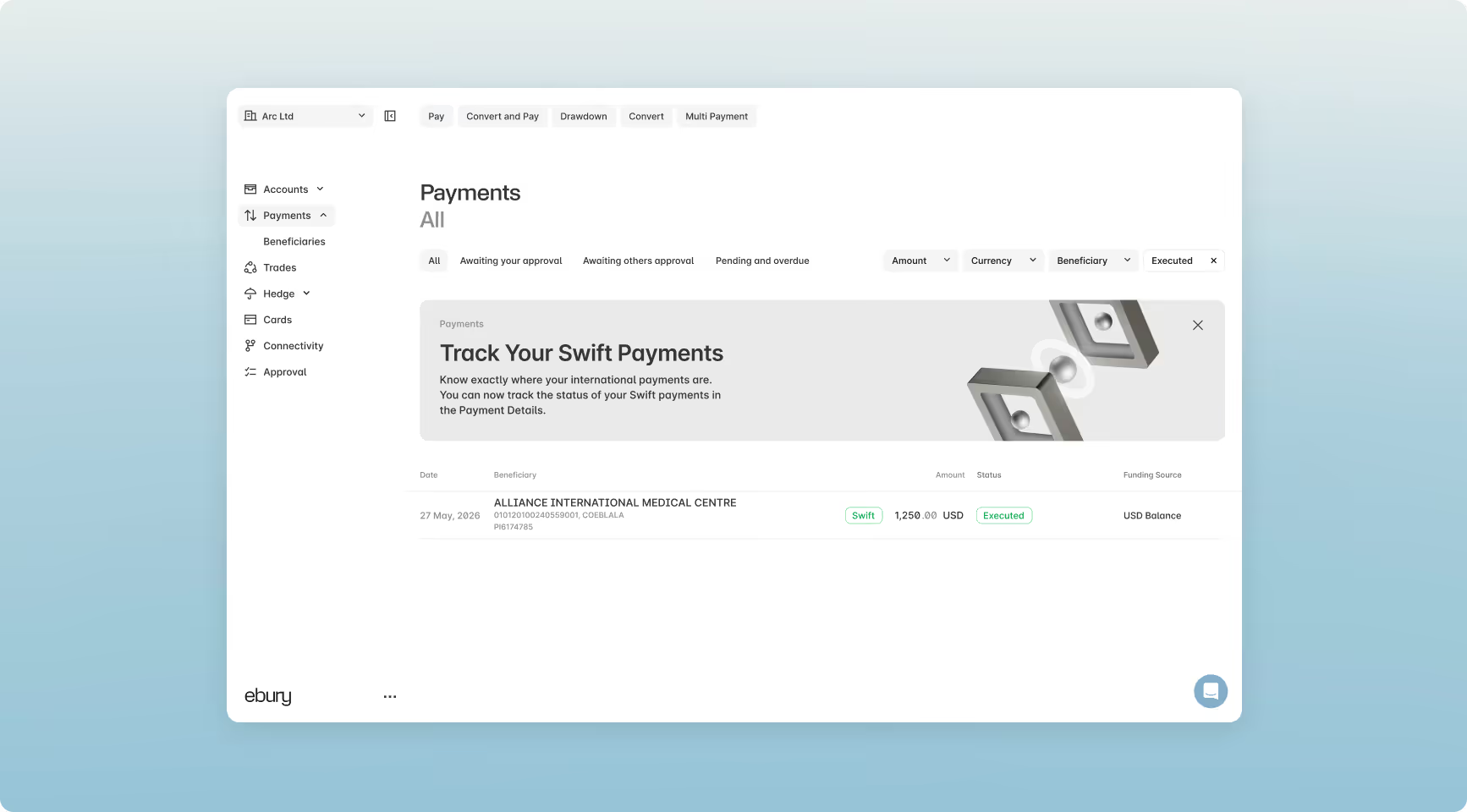
2. Sporbare betalinger vil vise den grønne Swift-knap.
3. Vælg den betaling, du vil spore, for at se betalingsoplysningerne.
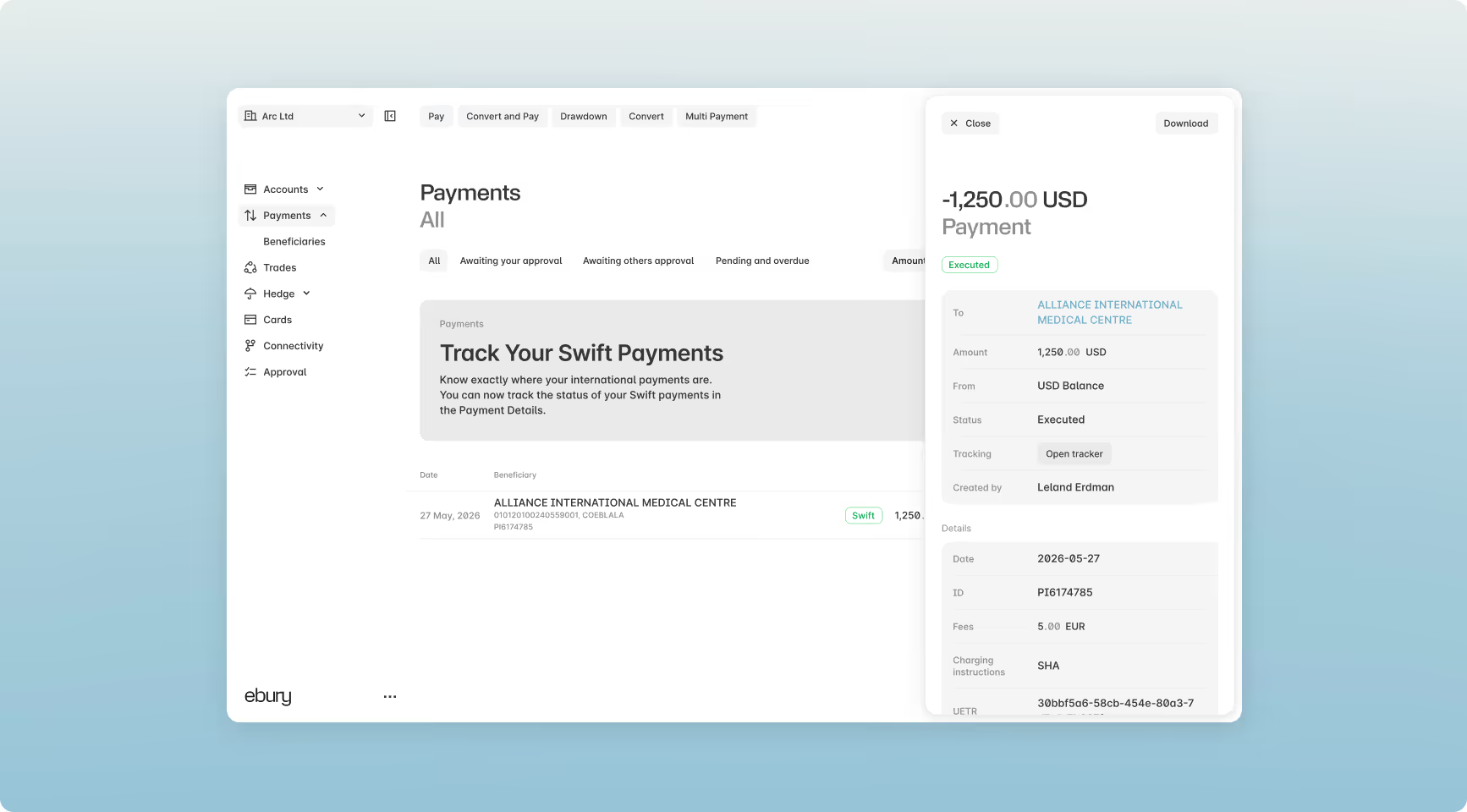
4. Vælg Åbn tracker for at se betalingsprocessen for transaktionen.
Et komplet overblik over dine valutasikringsaktiviteter
Vores Hedge-platform har også fået en større opgradering, der giver dig et krystalklart overblik over din valutaeksponering, handler og policeplaner. Nu kan du sammenligne din eksponering mod hedges i realtid for at træffe skarpere, datadrevne beslutninger.
Nyheder i Hedge-platformen
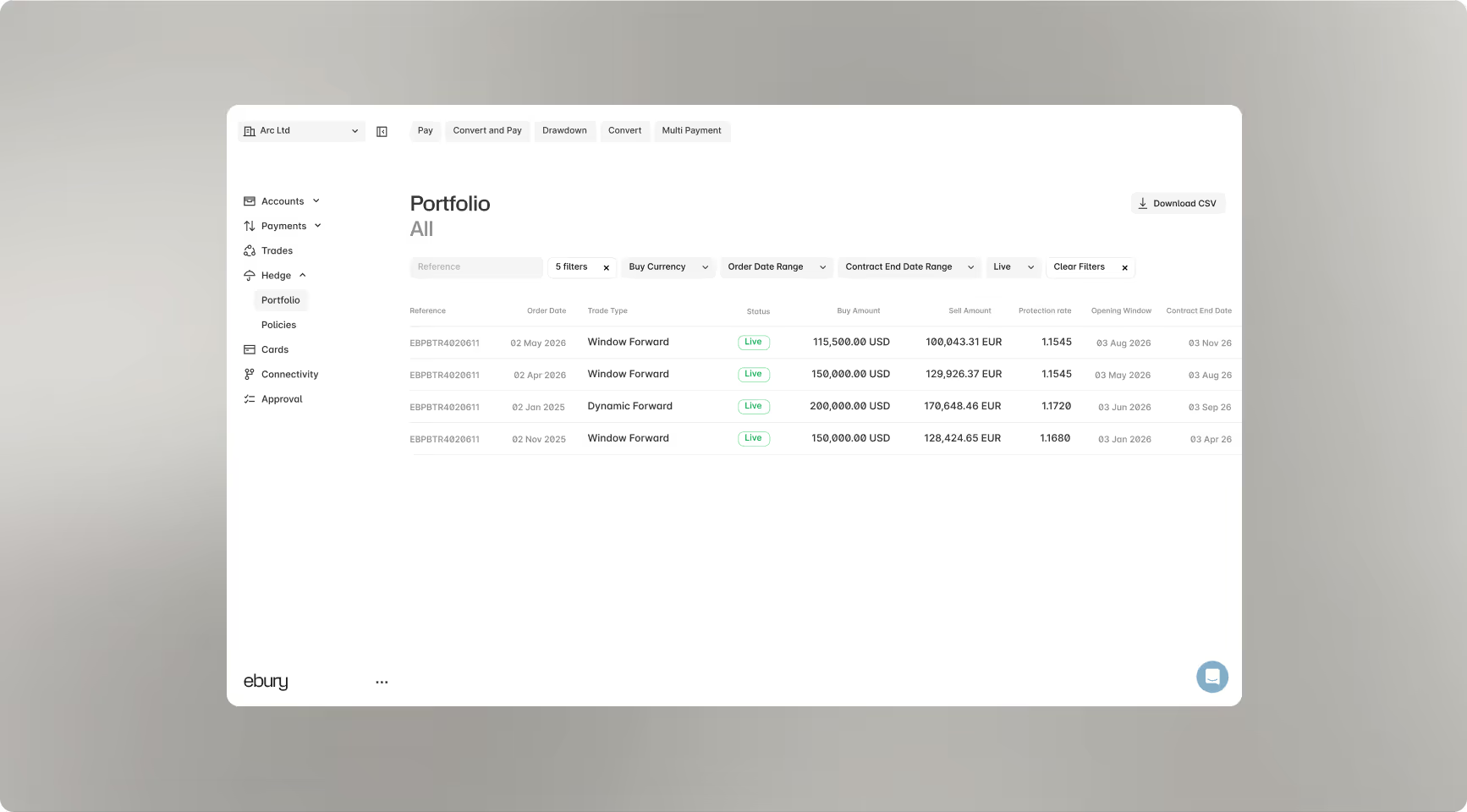
Samlet handelsportefølje
Spor øjeblikkeligt alle live og historiske forwards og dynamiske forwards i én centraliseret visning med fleksibiliteten til at trække kontoudtog efter behov.
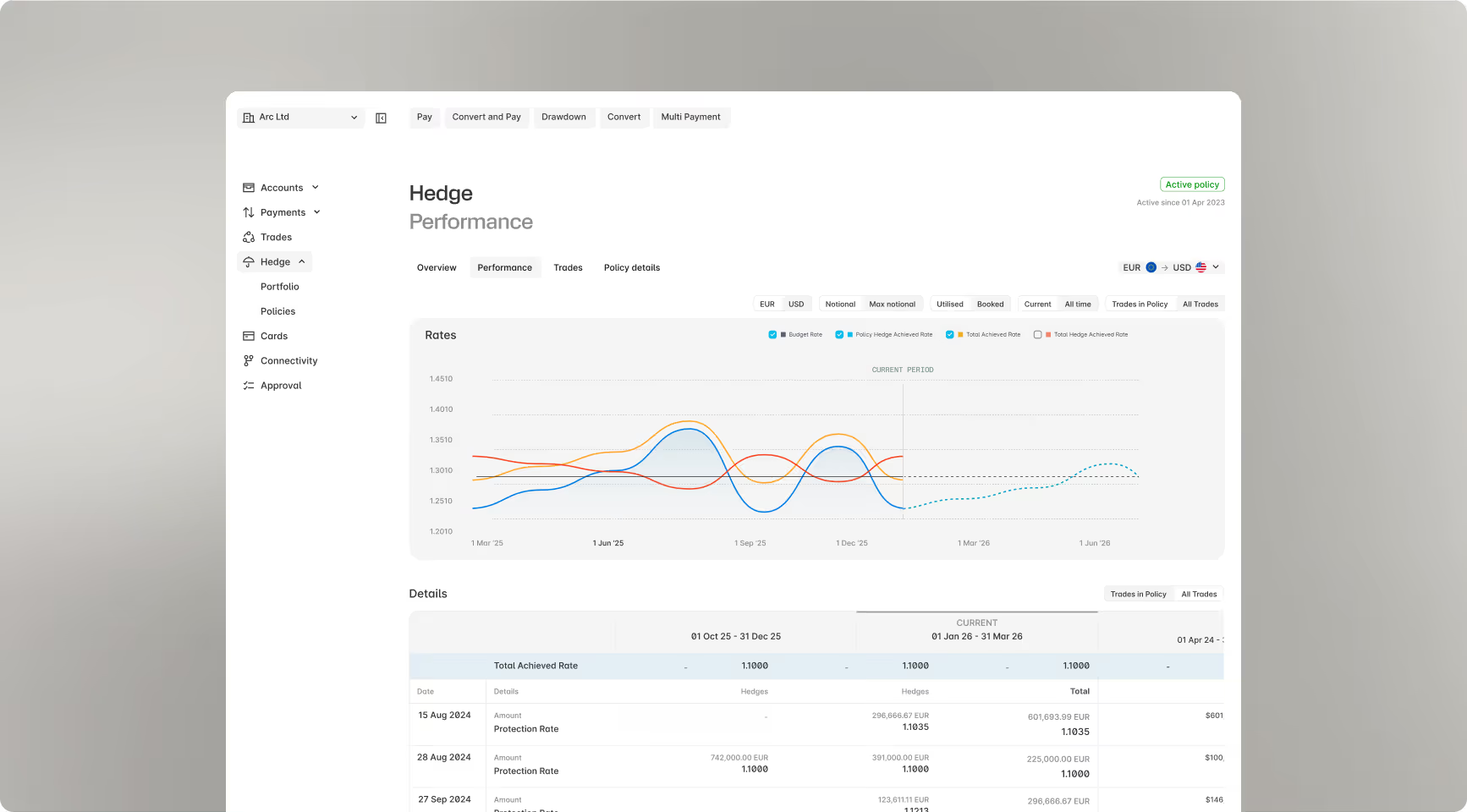
Performanceanalyse
Tjek det samlede vægtede gennemsnit af dine hedging- og spothandler på tværs af forskellige tidsrammer for at se den nøjagtige valutakurs, din virksomhed har sikret.
Strømlinet rapportering
Giv dine økonomiteams adgang til tilgængelige værktøjer til at se, downloade og afstemme kontoudtog.